Online Reset Password
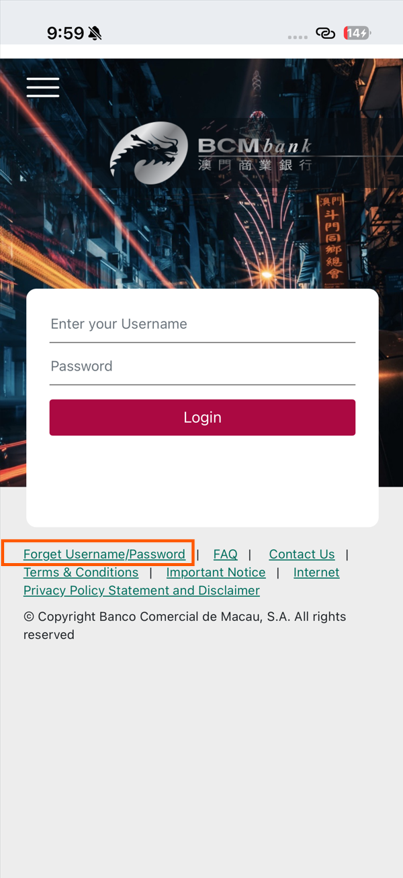
1. Access the Login Page of “BCM Mobile Banking” and select “Forget Username/Password”.
Online Reset Password
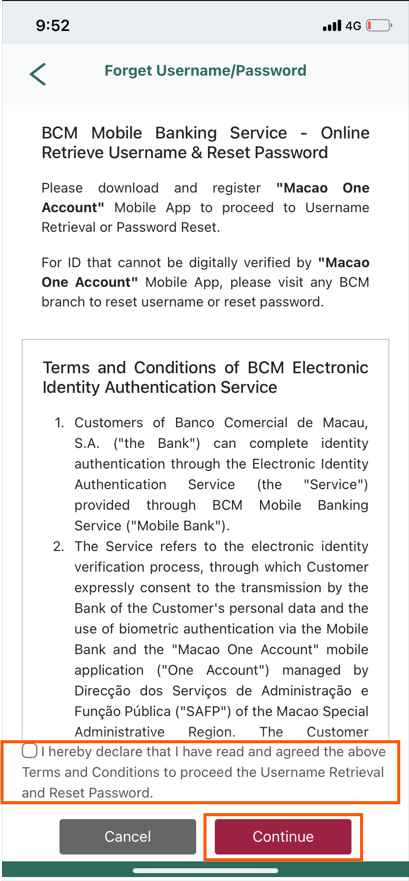
2. Tick the Checkbox as confirmation of reading and accepting the related Terms and Conditions.
Online Reset Password
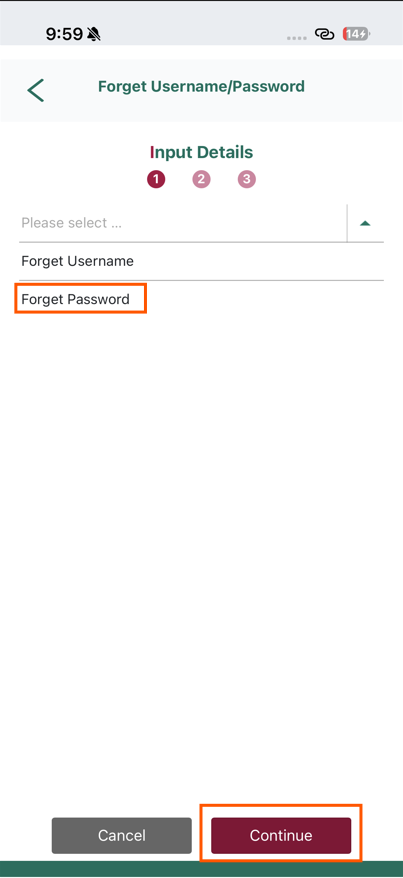
3. Select “Forget Password”, then click “Continue”.
Online Reset Password
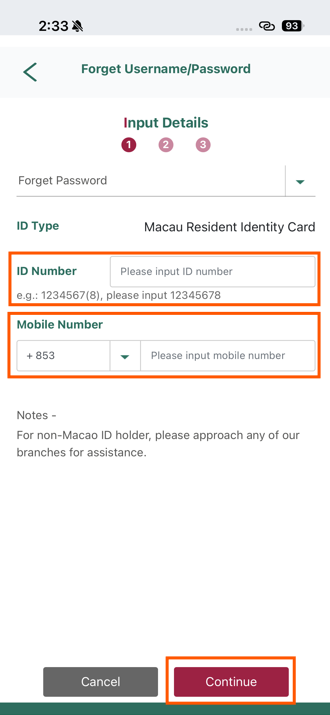
4. Input “ID Number"and “Mobile Number”*, then click “Continue” to receive a SMS one-time password.
*Note: The ID Number and Mobile Number must belong to the same customer and match with bank’s record.
Online Reset Password
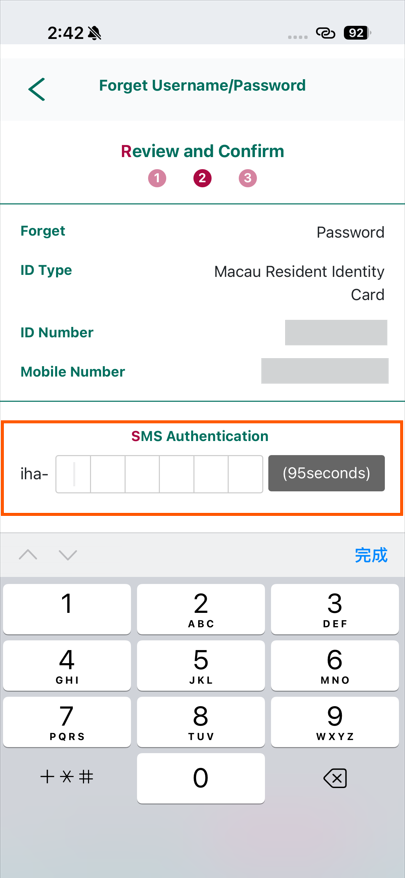
5. Review and confirm the details from the previous page, then input the SMS one-time password to authenticate the instruction.
Online Reset Password
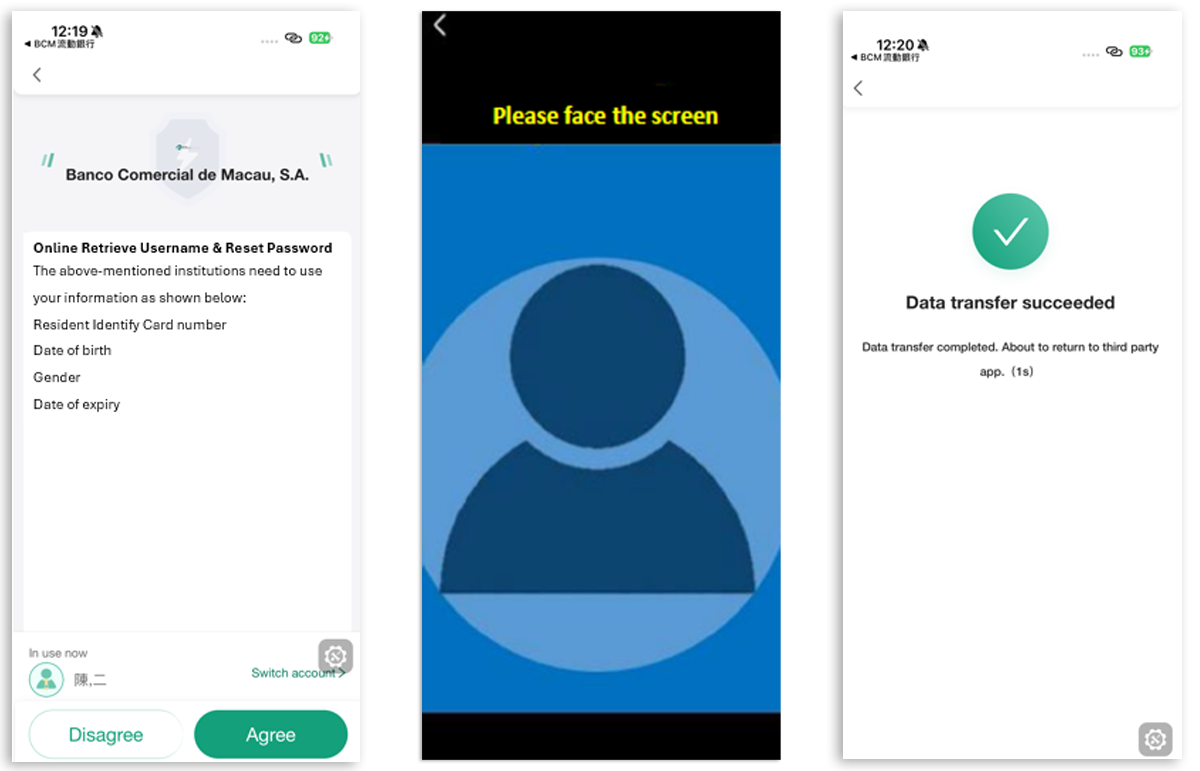
6. Redirect to “Macao One Account App” and perform Facial Recognition for identity authentication. Click “agree” for confirming personal information transmission from Identification Services Bureau to BCM bank.
Online Reset Password
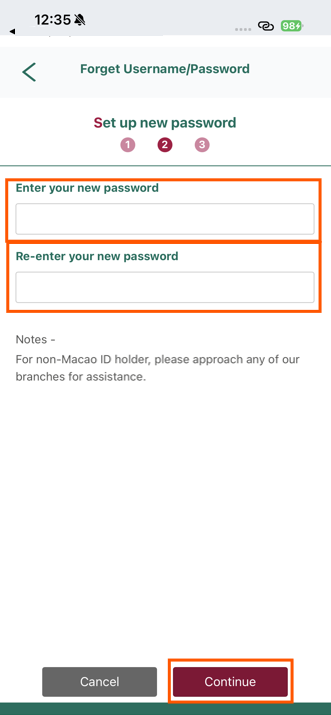
7. Upon successful identity authentication, return to BCM Mobile Banking to set up the new password and click “Continue”.
Online Reset Password
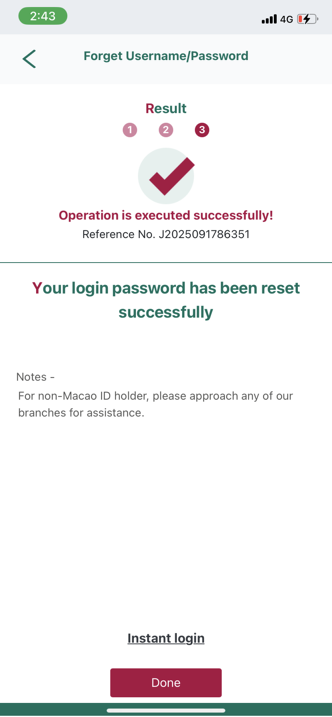
8. The reset password process is completed, click “Instant Login” to login BCM Mobile Banking.
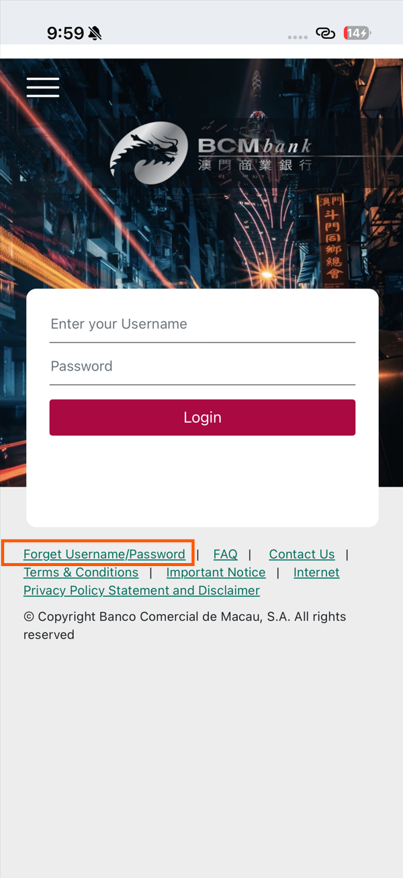
Online Username Retrieval
1. Access the Login Page of “BCM Mobile Banking” and select “Forget Username/Password”.
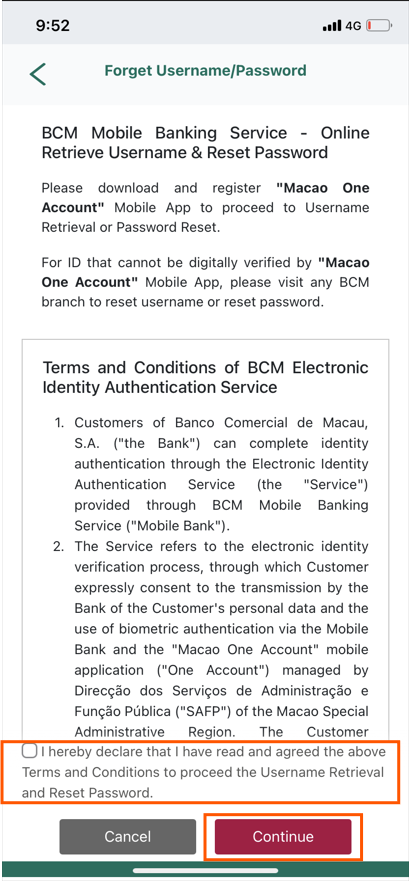
Online Username Retrieval
2. Tick the Checkbox as confirmation of reading and accepting the related Terms & Conditions.
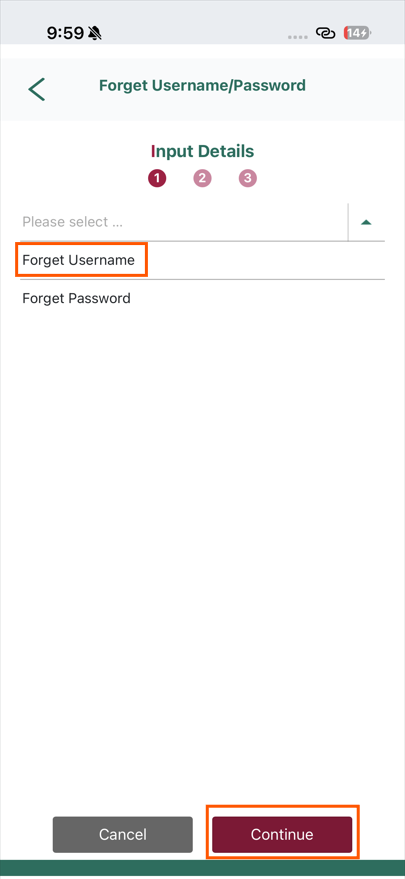
Online Username Retrieval
3. Select “Forget Username” and click “Continue”.
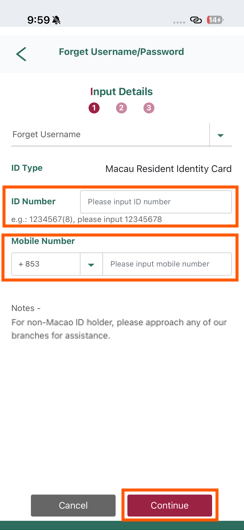
Online Username Retrieval
4. Input “ID Number"and “Mobile Number”*, then click “Continue” to receive a SMS one-time password.
*Note: The ID Number and Mobile Number must belong to the same customer and match with bank’s record.
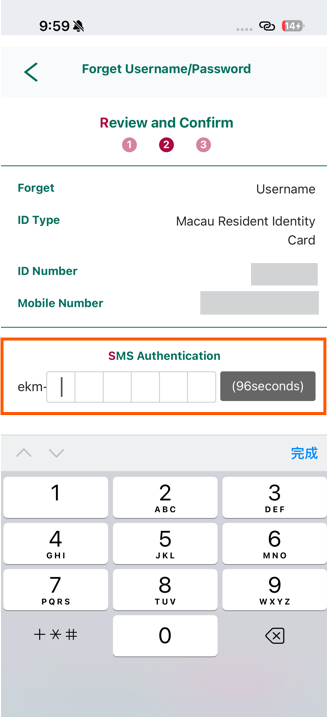
Online Username Retrieval
5. Review and confirm the details from the previous page, then input the SMS one-time password to authenticate the instruction.
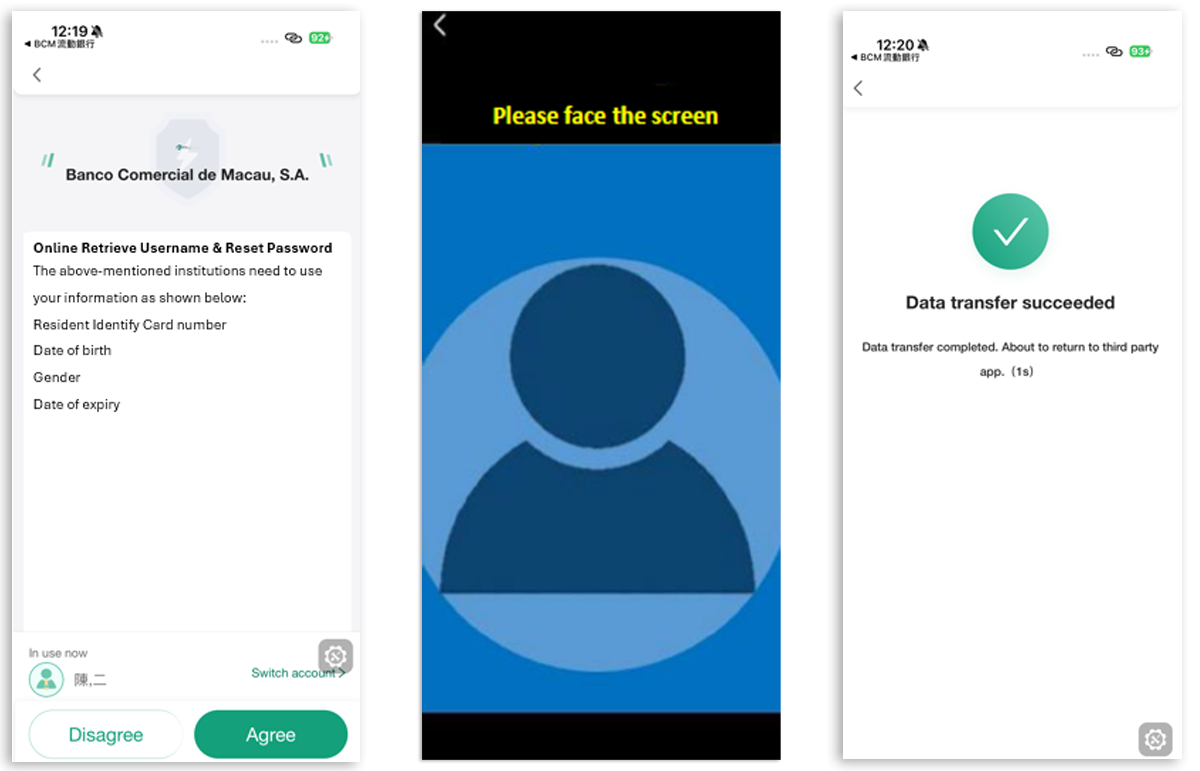
Online Username Retrieval
6. Redirect to “Macao One Account App” and perform Facial Recognition for identity authentication. Click “agree” for confirming personal information transmission from Identification Services Bureau to BCM bank.
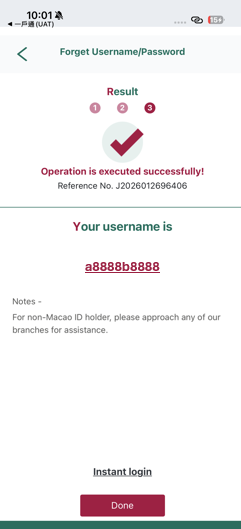
Online Username Retrieval
7. Upon successful identity authentication, return to BCM Mobile Banking and the existing Username will be shown on the screen.